Getting lost in SAP’s huge documentation library? You spend hours reading page after page, but days later, all those important details seem to slip away.
Let’s be real: All you need to pass SAP certification and really master your job is right there in the official docs. The problem is, just reading isn’t enough. The real game-changer? Turning SAP documentation into flashcards using techniques like active recall and spaced repetition (trust me, they’ve helped thousands of SAP pros remember way more).
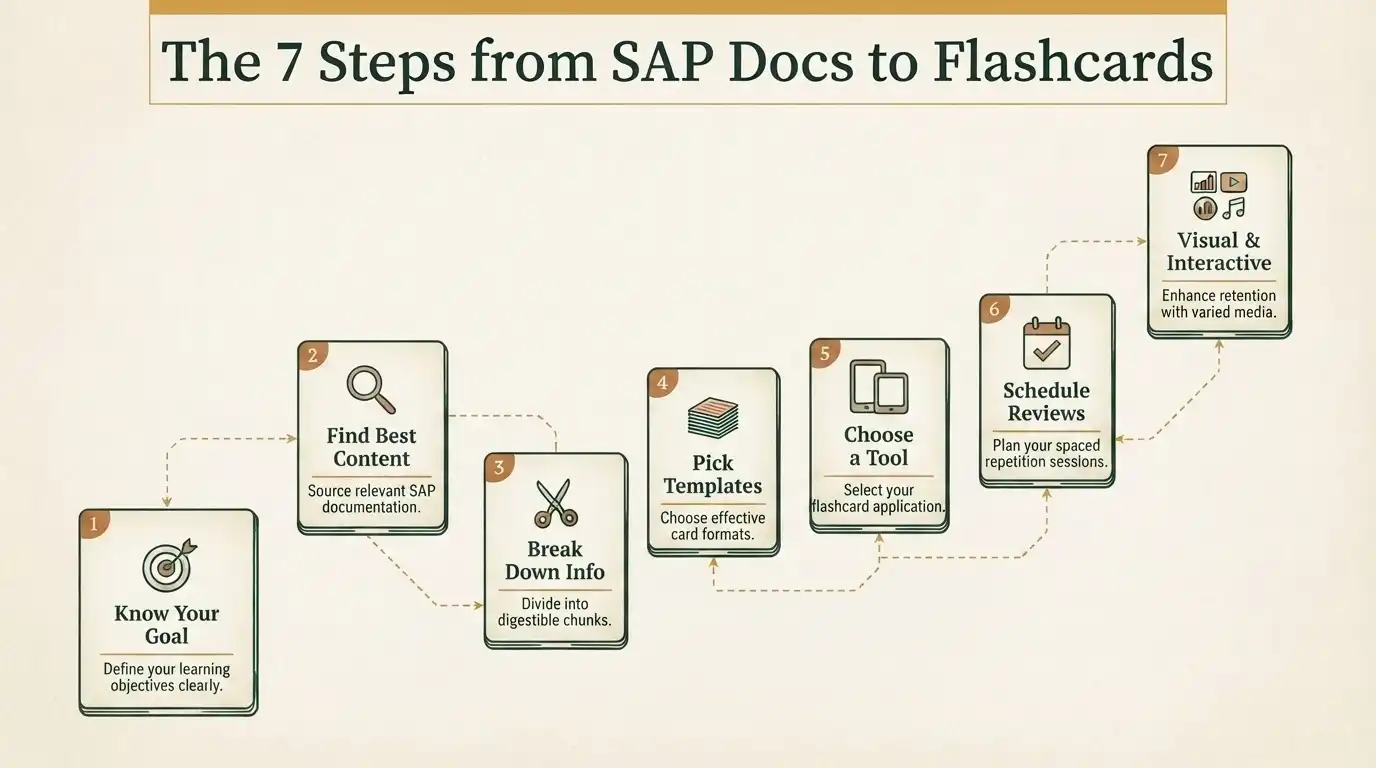
This guide walks you through a simple 7-step process for turning dense SAP Help Portal content into flashcards you’ll actually remember. Ready? Let’s jump in.
Why SAP Docs are Perfect for Flashcards
First, why bother with this approach?
SAP’s own documentation is the gold standard. Most accurate, always up to date with product releases. Unlike random third-party blogs or videos, here’s what you get:
- Real-time updates to match new releases
- Step-by-step guides for every module: S/4HANA, SuccessFactors, BTP, and so on
- Actual transaction codes and procedures
- Lessons learned from tons of real-world implementations
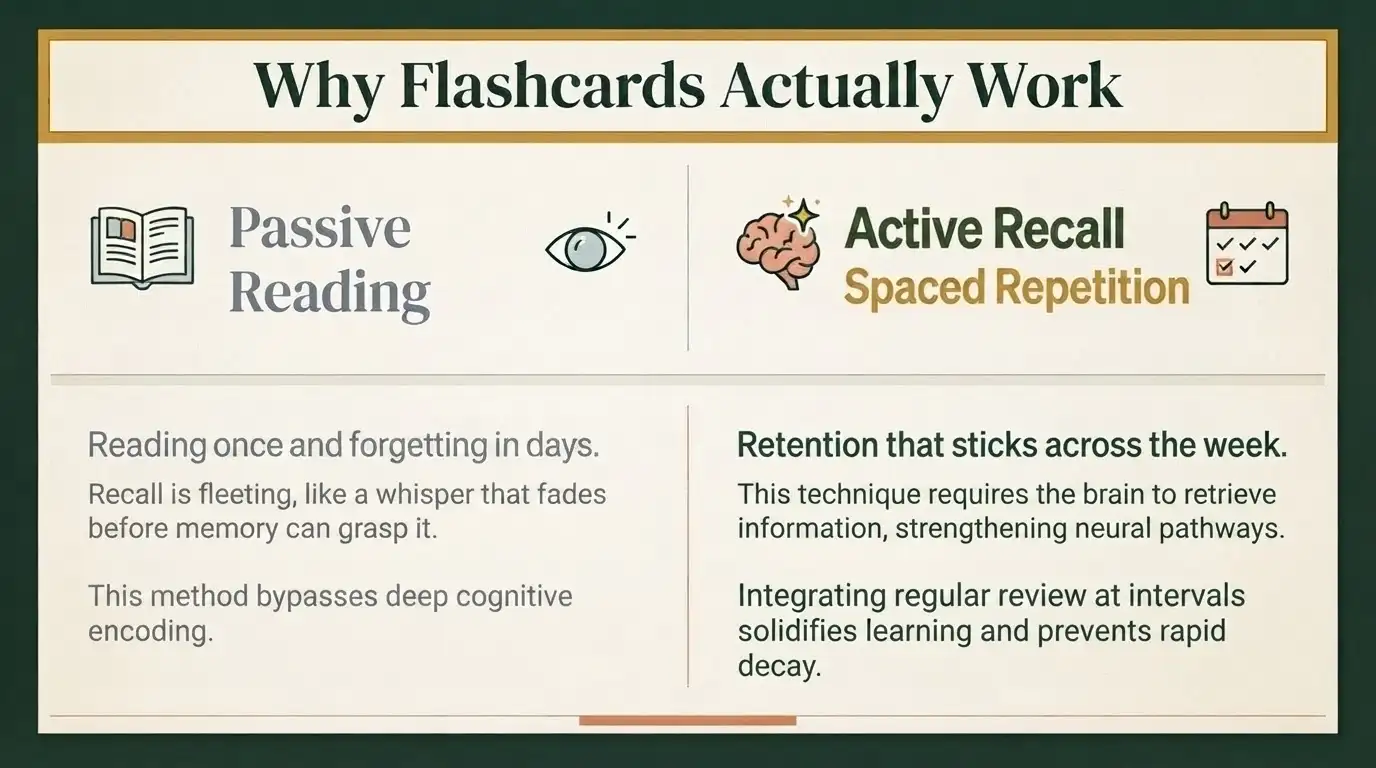
But here’s the catch: SAP documentation is built for reference, not retention. You look stuff up, you forget it five minutes later. That’s where flashcards work magic, turning passive reading into active learning.
Why Flashcards Actually Work
So what makes flashcards so effective?
There are two techniques they use to train your brain:
- Active Recall: You force your brain to pull information from your memory. Research shows this cements knowledge far better than just reading it.
- Spaced Repetition: You revisit the material at intervals after two days, then three, then five, then seven. It’s scientifically proven to beat the “forgetting curve.”
Wondering if this really helps with tricky SAP concepts?
Yep. SAP pros who use flashcards see higher pass rates on certifications, and onboarding becomes a breeze, whether it’s FI/CO, MM, SD, or SAP BTP. Works in all modules.
SAP Docs to Flashcards: 7 Steps
Step 1: Know What You Want to Achieve
Before you go for the docs, ask yourself :
- Preparing for a certification? Study the exam topics from SAP Journeys of Learning.
- Building job skills? Pick out configurations and processes you actually use.
- Going for deep knowledge? Cover all the basics of your module.
Step 2: Find the Best SAP Content
When you are preparing for an SAP certification, you need dependable, current resources. SAP offers a lot of official tools and platforms that help make your studying smoother and make sure you don’t waste time with old, inaccurate material.
- Start with the SAP Help Portal . It’s loaded with technical guides and official docs enough for you to really figure out how SAP works and what all the features actually do.
- Next, check the SAP Learning Hub. It’s not free, but it’s stacked with tutorials, e-books, and guided study plans focused on your exam. No matter where you are in your SAP studies, Learning Hub will keep you on the right path.
- Don’t ignore the SAP Community either. This is where real SAP pros swap questions, solutions, and share tips from the trenches. It’s great for learning how companies are using the software day-to-day and finding answers to real-world SAP problems.
- If you want a clear roadmap, look at SAP Learning Journeys. These give you a step-by-step outline of what you need for your exam, so you’re never left guessing about what to study next.
What to Extract From Flashcards
- Your flashcards should be useful, not just packed with random details. Write down important SAP transaction codes and what they actually do; you’ll want to know which codes handle which jobs.
- Note down key configuration steps and menu paths. These will save you when you forget where to tweak a setting in SAP.
- Define the core SAP terms. Even basics matter; without the right vocabulary, you’ll get lost fast.
- These are the kinds of business processes and examples of workflow that show you how SAP assists with real company processes, not just the software.
- Don’t skip troubleshooting info. Jot down frequent error messages and how to fix them. That’ll set you apart when things go sideways.
- And remember best practices, not just how SAP works, but how SAP wants you to use it in actual projects.
Step 3: Break Down Info- Don’t Just Copy
Copying big blocks of text won’t help you learn. Split everything into clear, manageable points you can actually remember.
A bad flashcard is a wall of text with a generic topic. Tough to review, even tougher to recall.
A good flashcard gets to the point. For example: “Which transaction code opens the ABAP Editor?” Short, sharp, easy to remember. The best ones add real context, like, “What are the main technical components of SAP S/4HANA?” This ties what you learn directly to the work you’ll be doing.
Flashcard Tips:
- Stick to one idea per card; cramming in too much will make your brain check out.
- Ask specific questions that make you think, not just recall.
- Whenever you can, include the SAP module, software version, or business use case to give your question proper context.
- If a picture or diagram can help, use it. Sometimes visuals do what words can’t.
Step 4: Build Your Cards with These Templates
When it comes to SAP material, these card formats get the job done:
Template 1: Definition Cards
- Front: “Define [term] in SAP.”
- Back: Short definition and a real-world example.
Template 2: Process Cards
- Front: “How do you [do a task]?”
- Back: Numbered steps, with transaction codes.
Template 3: Troubleshooting Card
- Front: (Error message) Why does this happen, and what can you do about it?
- Back: How to correct the error, where to locate the solution in the menu, and why the error takes place.
Template 4: Cards Configuration
- Front: How to configure [setting] in SPRO?
- Back: IMG path + transaction code + key fields required.
Template 5: Comparison Cards
- Front: “How does [Concept A] compare to [Concept B]?”
- Back: Table with each together side-by-side.
Step 5: Pick a Flashcard Tool
Flashcards are not just for cram sessions; they use spaced repetition to teach you.
|
Platform |
Best For |
Key Feature |
Cost |
|
Anki |
Power users |
Unlimited customization, add-ons |
Free (Desktop) |
|
Quizlet |
Quick creation |
Large SAP community sets |
Free/Premium |
|
Brainscape |
Structured learning |
Confidence-based repetition |
Premium |
|
Notion |
Note integration |
Combine docs + flashcards |
Free/Paid |
|
RemNote |
Knowledge management |
Bi-directional linking |
Free/Pro |
Most students stick with Anki for their regular studying, using Quizlet for quick reviews on the go.
Step 6: Make Your Reviews Count
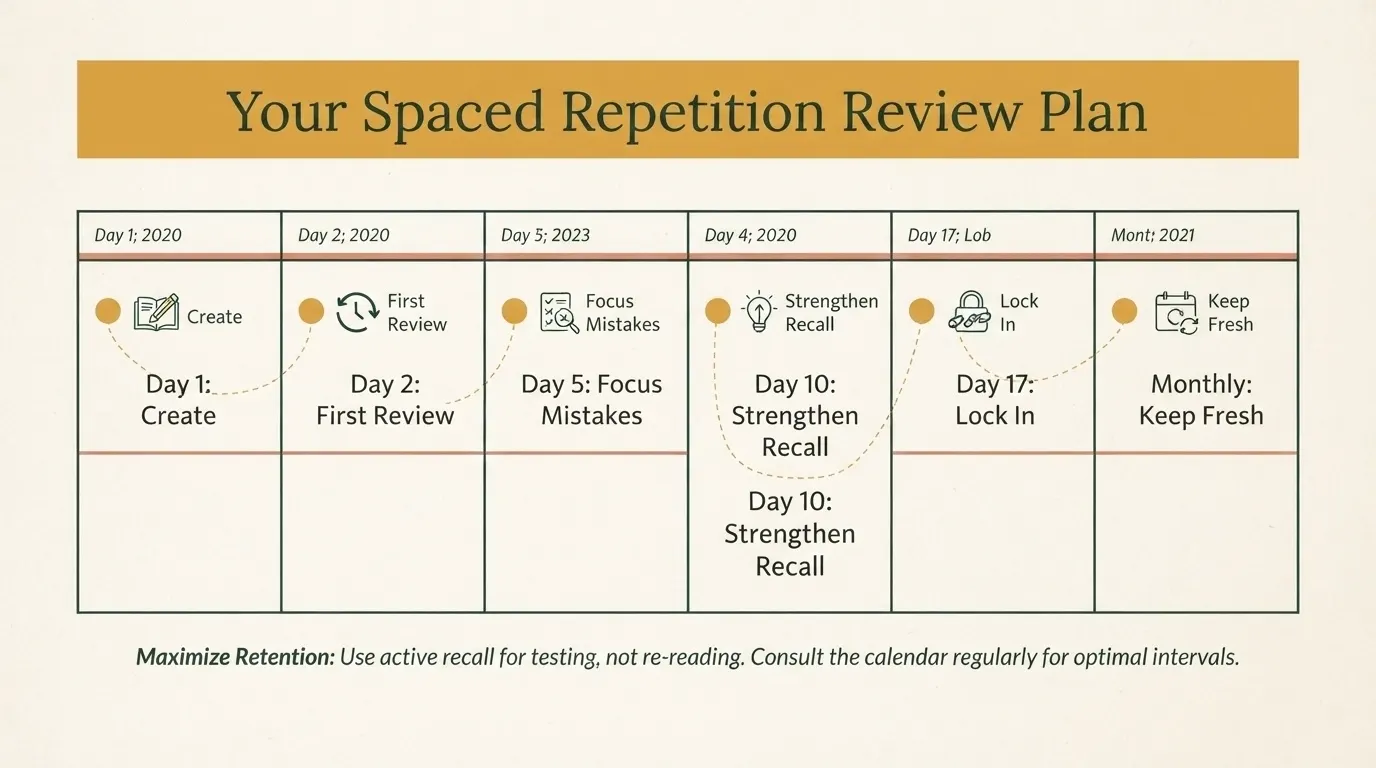
Don’t just make cards and forget them; schedule your reviews if you want anything to stick.
Review Plan
- Day 1: Create your cards and sort them by topic.
- Day 2: Do your first review and flag tough ones.
- Day 5: Focus on mistakes; run through the cards again.
- Day 10: Go for another round to strengthen your recall.
- Day 17: Review everything to lock it in.
- After that: Monthly check-ins to keep it all fresh.
What Works Best
- Don’t peek at the answer before trying it forces your memory to work.
- Say your answers out loud, even if it feels awkward. You’ll remember details better that way.
- Rate your confidence after each card. If you’re unsure, review it more.
- Whenever you can, connect flashcards to real SAP tasks you actually do. Real examples make info stick.
- Try reviewing right before and after you use SAP. It enables you to connect the information on your cards with your actions in the system, which makes it easier to recall and use when it counts.
Step 7: Visual, Audible & Interactive Flashcards
A good flashcard isn’t just words on a card. Good flashcards appeal to various learning styles, so you understand more and remember longer.
- Take screen shots from SAP GUI and highlight the transaction codes or key fields. That way when you see these screens during practice or exams they will be recognizable.
- Diagrams and flowcharts go a long way, too; they simplify tricky business processes and SAP workflows, making them stick in your mind.
- If you’re trying to connect related SAP concepts, mind maps are a lifesaver. Seeing how modules and processes link together just makes more sense this way.
- Sometimes you remember better when you listen. So, record yourself explaining tough SAP terms or concepts. Play them back when you’re on the go.
- Don’t forget about the helpful stuff you can find online; add links right to your cards. The SAP Help Portal, SAP Community, or specific transaction code documentation can be just a click away when you need more info.
Advanced Flashcard Techniques
1. Use the Leitner Box System
If you like paper flashcards, try the Leitner Box system. You organize your cards by how well you know them into five boxes, sorted by difficulty. Every time you get a card right, move it up a box; get it wrong, and it goes back to the first. When a card reaches the last box, you know you’ve mastered it.
2. Use SAP Learning Hub Content
If you have access to SAP Learning Hub, use it. Turn important points from training PDFs, assessment questions, or official video lessons into your own study cards. Remember, these materials are for personal use only; keep them private.
3. Collaborate with Others
- Learning’s easier (and way more fun) with others. Join SAP study groups on LinkedIn or Discord. You’ll get to swap ideas, discuss tough stuff, and learn tricks you might have missed on your own.
- If your team is working on similar SAP projects, trade your flashcard collections. It helps everyone up their game. Teams can even create shared libraries for training new folks faster.
- Grab challenging questions from the SAP Community, too. They’re perfect for building practical flashcards based on problems people actually run into.
Common Mistakes SAP Learners Make
- One big mistake: packing too much info onto each card. Keep it simple: one concept per card; it makes learning smoother.
- Copying and pasting big chunks of SAP docs won’t help either; rewriting info in your own words works better.
- Don’t make hundreds of cards at once, or you’ll just overwhelm yourself. Start small; 10 to 15 cards at a time is plenty.
- Skipping reviews? Not a good idea. You’ll forget what you’ve learned fast.
- Keep your flashcards up to date. SAP changes, and so should your study tools.
- Finally, don’t fool yourself: flashcards alone won’t turn you into an SAP pro. Real experience in the system is still king.
Real-World Results
Plenty of SAP experts swear by flashcards. They say learning with them helped boost their test scores, locked in knowledge for the long haul, and made them more productive more quickly in new roles.
One SAP SuccessFactors consultant made 200 flashcards from the Help Portal and used them to prepare for the C_THR94 exam. By practicing active recall, they scored an 89% on their first try. Not bad at all.
Quick Start: Your First 6 SAP Flashcards
Ready to make your first cards? Try these:
1. What’s SAP S/4HANA?
Answer: It is SAP’s intelligent ERP suite, which was launched in 2015 and runs on the HANA database.
2. What is the transaction code to display Material Master?
Answer: MM03.
3. What does SPRO mean?
Answer: SAP Project Reference Object; opens the SAP Implementation Guide or IMG.
4. What are the 3 main Sales and Distribution organizational levels?
Answer:Three main Sales and Distribution organizational levels are: Sales Organization, Distribution Channel, and Division.
5. What’s IMG?
Answer: Configuration and customization Implementation Guide.
6. What’s the standard SAP fiscal year variant?
Answer: K4, which runs January to December.
Your Next Steps
- Start now. Make your first 10 SAP flashcards using these examples. You’ll get a feel for what works.
- This week, try a digital flashcard tool like Anki. Create about 50 cards using official SAP sources.
- A little every day, say, 15 minutes, adds up. Aim for 200 cards by the end of the month.
- Maintain the cards as SAP provides new or changed functionality. When you share your flashcards or tips with your peers, you are helping everyone, including yourself.
Conclusion
Successful SAP pros do more than read the docs. They turn key info into handy flashcards, review them often, and most importantly, get their hands dirty with real practice.
Start your SAP flashcard library today. Stick with it. Combine flashcards and hands-on work, and before you know it, your knowledge will grow, your confidence will rise, and your test results (and job performance) will prove it.
Walk through concepts and solve genuine SAP scenarios every step of the way. The Exam Questions help you practice and prepare from start to finish.